Key Features of Document Management System (DMS)

A Document Management System (DMS) transforms the way organizations work with documents. With features like advanced organization, workflow automation, and compliance tools, it simplifies document control, improves team collaboration, and ensures data security. Learn how Weaver DMS can revolutionize your processes and keep your organization competitive in the digital age.

5 Key capabilities of a Document Management System

  1. Document capture and storage
  2. Efficient organization and retrieval
  3. Workflow automation
  4. Collaboration and accessibility
  5. Security and compliance
Document capture and storage
Efficient organization and retrieval
Workflow automation
Collaboration and accessibility
Security and compliance

The most important features of a Document Management System

1. Audit Trails
2. Version Control
3. Integration Options
4. Annotations and Stamps
5. Check-in/check-out and locking
6. Optical Character Recognition (OCR)
7. Search and Indexing Tools
8. Storage Options

Advanced DMS features for today’s needs

Configurable workflows
E-Signature Capabilities
Document tracking and auditing
Automated notifications
Support for Multiple File Formats

Choosing the right DMS for your organization

  • Document organization and filing structures: Searchable metadata and categorization.
  • Secure document sharing: Built-in security for internal and external collaboration.
  • Task Management: Features for assigning tasks and tracking deadlines within workflows.

Bottom line

More blog posts

AI

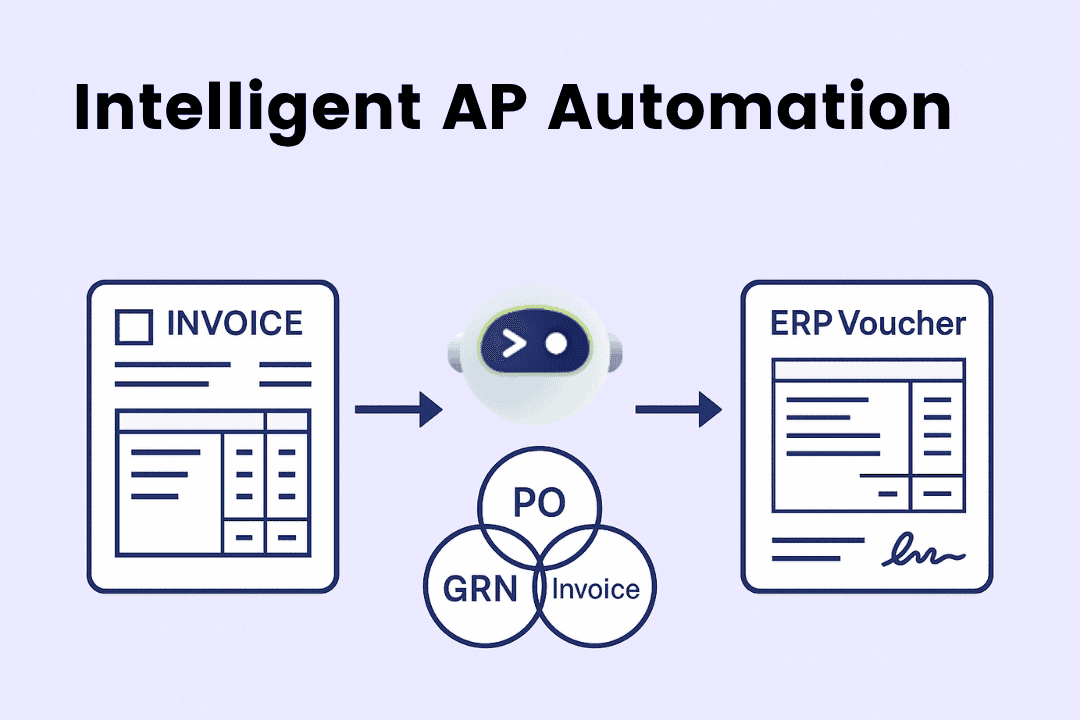
Weaver Intelligent AP Automation Powered by AI: From Invoice to ERP—Accurate, Fast, and Audit-Ready

Accounts Payable (AP) teams today face constant pressure to close faster, reduce errors, and maintain airtight compliance—all while handling rising invoice volumes and complex approval flows. Traditional AP processes struggle under this load: scattered emails, manual keying, and disjointed systems lead to slow cycle times and costly mistakes. Weaver’s intelligent AP Automation, powered by AI, changes the equation. From auto-extracting invoice data, to AI-driven three-way matching with Purchase Orders (PO) and Goods Receipt Notes (GRN), to auto-assigning Chart of Accounts (COA) and generating ERP vouchers, Weaver streamlines every step so finance teams can move from firefighting to value creation. The Reality: Current Pain Points and Challenges 1) Manual data entry kills productivity AP specialists still key in header and line details—supplier name, invoice number, dates, tax, line items, quantities, unit prices. Typos and formatting inconsistencies then cascade into reconciliation issues, duplicate payments, and rework. 2) Three-way matching is slow and error-prone POs, GRNs, and invoices often live in different systems or spreadsheets. Cross-checking quantities, prices, tax, and tolerances consumes hours and invites mistakes—especially when there are partial receipts, returns, or contract-based buys. 3) Coding complexity and policy compliance Assigning the right COA, cost center, project code, or tax category can be ambiguous. New suppliers, unfamiliar GL codes, and changing rules result in inconsistent postings and audit flags. 4) Fragmented approvals and limited visibility Email-driven approvals create bottlenecks and poor traceability. Leaders lack real-time views across invoice status, pending approvals, cash exposure, early-payment discount windows, and supplier risks. 5) ERP voucher creation and month-end crunch Even after approval, many AP teams still post vouchers manually, re-keying data into ERP/finance systems. Close periods become stressful sprints, with elevated error risk and overtime. 6) Duplicate, fraudulent, or non-compliant invoices Without systematic controls, it’s hard to spot duplicates, mismatched bank details, or non-compliant documents—exposing the organization to leakage and regulatory risk. The Answer: Weaver Intelligent AP Automation (AI-First by Design) Weaver’s AI AP Automation platform brings together document intelligence, matching logic, policy controls, and ERP integration in one streamlined flow: 1) AI Invoice Data Extraction (Beyond OCR) Auto-capture: Ingest invoices from email, supplier portal, EDI, or drag-and-drop. AI extraction: Accurately reads header and line-item data (supplier, invoice no., dates, currency, tax, unit price, quantity, UOM, item descriptions). Self-learning: Model improves with feedback—handling new suppliers, layouts, and languages without heavy template maintenance. Validation: Checks mandatory fields, tax/withholding formats, and duplicates before moving forward. 2) AI Three-Way Match with PO & GRN Line-level matching to PO and GRN, including partial receipts, backorders, and returns. Tolerances: Configurable price/quantity/amount thresholds reduce false exceptions while keeping controls intact. Contract & non-PO logic: Supports services, blanket POs, rate cards, and contract-based buys with smart rules. 3) AI Auto-Coding for COA, Cost Centers, and Tax Pattern learning: Predicts GL accounts and dimensions based on supplier history, item descriptions, and prior postings. Policy guardrails: Enforces coding rules, tax categories, and localization (e.g., VAT/GST) to keep postings compliant. Confidence scores: Items below threshold route for human review; high-confidence items flow through automatically. 4) Configurable Approval Workflows Role-based routing: Amount thresholds, category-based approvers, and exception paths. Mobile & email approvals: Approve on the go with full context (invoice view, PO/GRN links, coding, comments). Audit trail: Timestamped actions for every change, ensuring audit readiness. 5) Voucher Generation & ERP Integration One-click voucher creation: After approval, Weaver auto-generates vouchers and posts to ERP/finance systems. Bi-directional status sync: A single source of truth across AP and ERP for amounts, tax, currency, and payments. Payment readiness: Supports payment runs, bank file generation, and remittance notifications. 6) Analytics, Controls & Compliance Real-time dashboards: Cycle time, touchless rate, exception causes, discount capture, DPO, and cash planning. Duplicate & fraud checks: Supplier fingerprinting, bank detail validation, and anomaly detection. Retention & e-archive: Secure storage with role-based access and export; supports audit and regulatory reviews. What Makes Weaver Different? AI that learns your business: Not just generic OCR—Weaver’s intelligent AP Automation continuously adapts to your suppliers, items, and coding patterns. Line-level precision: Robust handling of partial receipts, unit conversions, and complex PO structures reduces exceptions. Fast time-to-value: Prebuilt connectors, configurable workflows, and guided onboarding deliver results quickly—without heavy IT lift. End-to-end visibility: From capture to ERP voucher posting, every step is tracked, measured, and governed. Global-ready: Multi-language, tax handling, and localization support ensure you can scale across regions. Business Value: Why Finance Teams Choose AI AP Automation 1) Higher Productivity, Lower Cost Touchless processing slashes manual keying and reconciliation time. Teams can handle more invoices without adding headcount, and reassign time to vendor relations and cash optimization. 2) Faster Cycle Times & Better Supplier Experience Accelerated approvals and on-time payments improve supplier trust, unlock early-payment discounts, and reduce escalations. 3) Accuracy & Compliance by Default AI AP Automation enforces coding policies, tax rules, and approval thresholds—reducing audit findings and rework while providing a defensible audit trail. 4) Cash Control & Working Capital Gains Real-time visibility improves accruals, discount capture, and payment timing. Leadership can model cash impact and make decisions with confidence. 5) Scalable Governance As volumes grow or new entities are added, Weaver maintains consistent controls, data quality, and speed—without linear cost increases. How It Works: A Day in the Life with Weaver Supplier emails invoice → Weaver ingests the PDF and AI-extracts header/line data. System checks duplicates and validates mandatory fields. AI three-way match reconciles invoice lines with PO and GRN at configured tolerances. AI auto-assigns COA/cost centers/tax codes; confidence below threshold triggers review. Workflow routes to the right approvers; comments and attachments captured. On approval, Weaver generates the voucher and posts to ERP. Invoice is archived with a complete audit trail; dashboards update in real time. Getting Started: Your Path to Intelligent AP Automation Step 1: Baseline & Prioritize Gather current metrics—invoice volume, average cycle time, % exceptions, top suppliers, and ERP landscape. Identify quick-win supplier groups (high volume, stable POs). Step 2: Connect & Configure Set up ingestion (AP mailbox, portal, or EDI), choose your AI extraction defaults, and define matching tolerances and exception codes. Map COA, dimensions, and tax rules. Step 3: Pilot with a Focused Scope Start with a representative business unit and a subset of suppliers. Measure touchless rate, exception reduction, and approval time. Fine-tune auto-coding thresholds. Step 4: Integrate with ERP Enable voucher posting and status sync. Validate posting rules—currency, tax, dimensions—and lock in reconciliation reports. Step 5: Expand & Optimize Roll out to more suppliers, add contract/non-PO flows, and enable early-payment programs. Use analytics to tackle root causes of exceptions and continuously improve your intelligent AP Automation program. Key Features Checklist AI invoice data extraction (header + line items) Three-way match (PO-Invoice-GRN) with tolerances AI COA auto-coding, cost centers, projects, tax Duplicate detection and fraud checks Configurable approvals with mobile/email actions Voucher generation and ERP posting Real-time dashboards and audit trails E-archive and retention policies Supplier portal and status visibility (optional) If your finance team is stuck in spreadsheets, inboxes, and ERP re-keying, it’s time to modernize. Weaver’s intelligent AP Automation brings AI AP Automation to the heart of your invoice-to-pay process: faster closes, fewer errors, stronger compliance, and better cash control. By unifying capture, matching, coding, approvals, and ERP posting, Weaver enables leaner operations and data-driven decision-making—today and at scale. Ready to see it in action? Start with a focused pilot, prove the value in weeks, and scale confidently across your enterprise. Your next close can be faster—and far less stressful—with Weaver.

BPM

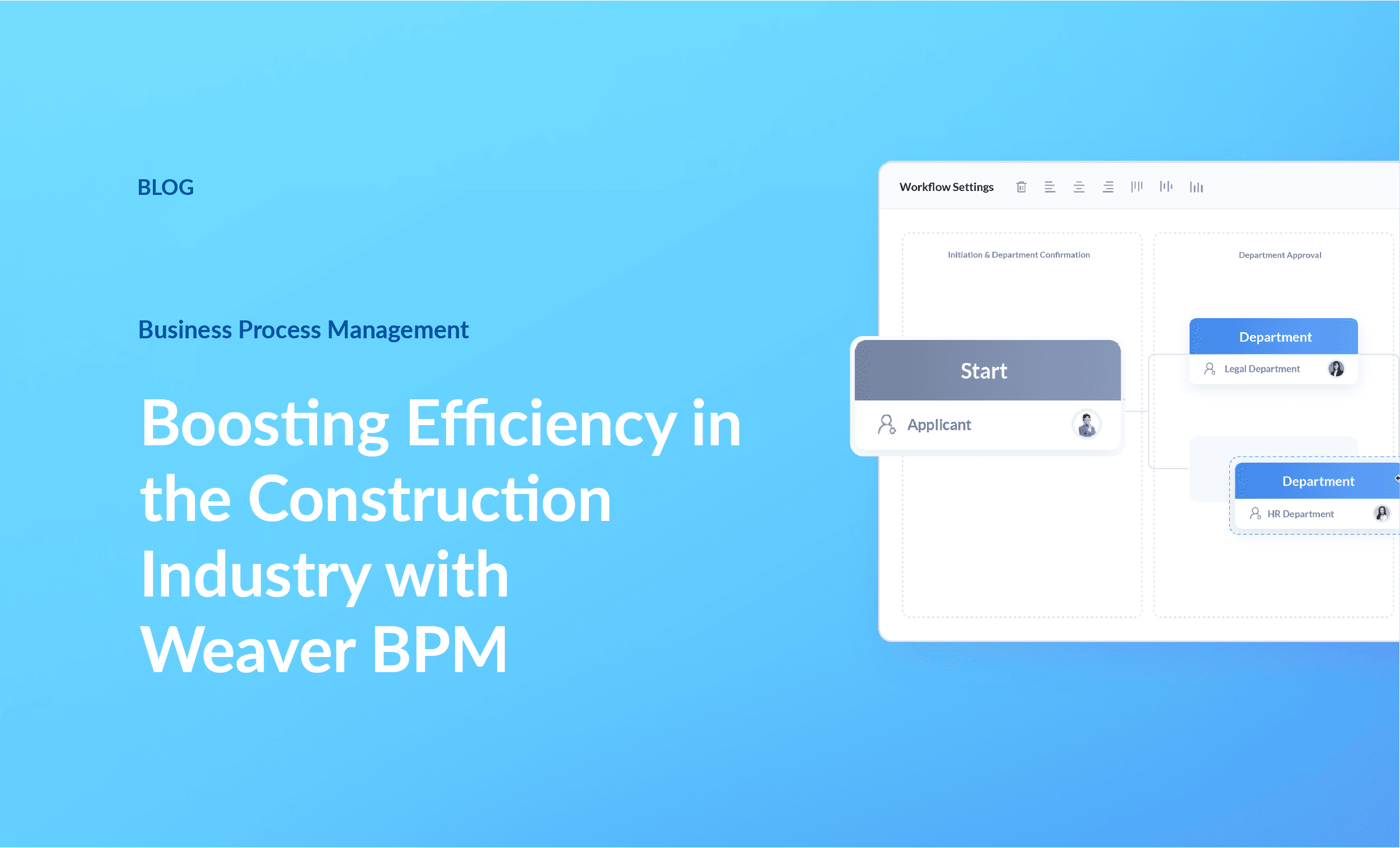
Meningkatkan Efisiensi di Industri Konstruksi dengan Weaver BPM

Proyek konstruksi penuh dengan bagian yang bergerak. Weaver BPM menyederhanakan alur kerja yang kompleks, memangkas penundaan, dan membantu Anda mengelola sumber daya dengan lebih efektif. Mulai dari mengotomatisasikan persetujuan hingga mengamankan data keuangan, temukan bagaimana Weaver BPM memberdayakan perusahaan konstruksi untuk membangun dengan lebih cerdas dan lebih cepat. Jadwalkan demo gratis Anda hari ini dan rasakan perbedaannya!

Contract Management

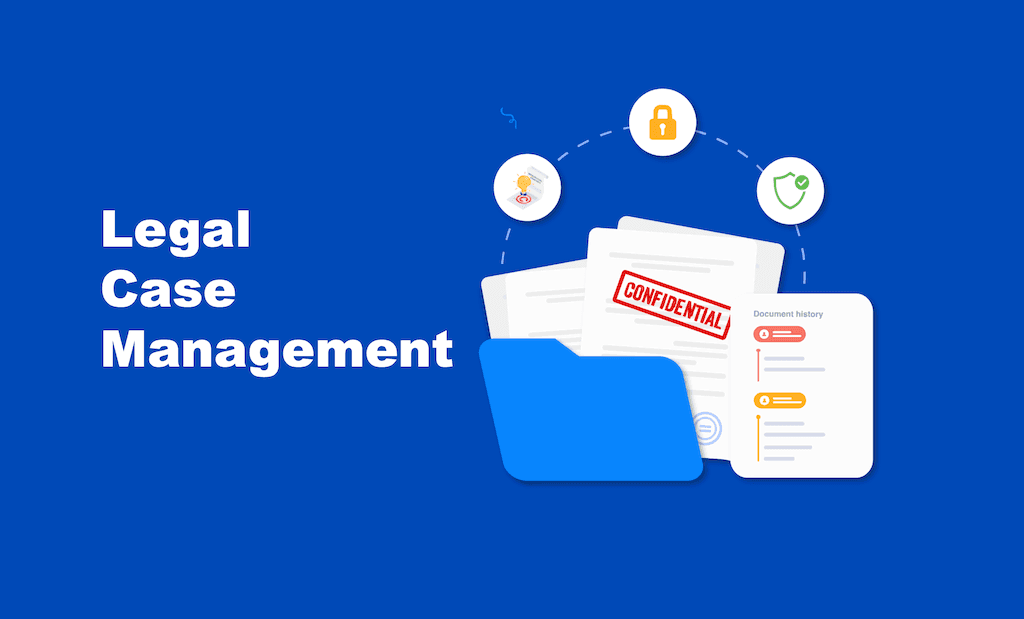
Legal Case Management for Legal Professionals

All-in-one legal practice management solution Manage, streamline and automate case lifecycle and processes. Handle multiple cases, maintain accurate data records, collaborate effectively with your dedicated case cabinet. Assess metrics and gather essential information from clients Evaluate case merits by gathering client information, including contacts, documents, communications, notes, and summaries. A centralised repository enables lawyers to securely access and update information from one platform for efficient assessment. Lesser paperwork and more organised case documents Organize and store case-related documents, ensuring easy access, version control, and efficient collaboration among legal team members. Work simultaneously on the same document with the integrated WPS document editor. Never missed out on important deadlines Keep tab on important case deadlines, court appearances and other key events with a shared calendar. Assign and manage tasks within the legal, while facilitating seamless sunchronisation with Office365 and Outlook integration. Make every hours and expense counts Track the time spent on various cases activities and expenses incurred. Timekeeping functionality allows lawyers accurately record billable hours and generate invoices and stay on top of their work. Create your own enterprise knowledge database. Store and organise legal templates, forms and reference materials in a centralised knowledge database. Search for keywords, tags to retrieve the right document that excel your work efficiency. Make informed decisions in case handling Generate reports and analytics that provide insights into case status, caseload, team performance and financial metrics based on billable hours, revenue and profitability. Assess efficiency, profitability, and identify areas for improvement. Collaboration tools for seamless teamwork Effective collaboration and communication is vital as law firm teams often work together on cases. Get ahead with features such as instant secure messaging, document sharing, activity feeds to enable real-time collaboration. Integrations that keep your productivity moving Seamlessly integrated software tools such as legal research databases, billing systems, accounting software. Streamline workflows and reduce manual data entry. Connect with essential tools with a hitch on request. Keeping sensitive information behind doors Prioritise security measures such as user access controls, encryption, regular backups, and compliance with data protection regulations to safeguard confidential client data. Keeping sensitive information behind doors Prioritise security measures such as user access controls, encryption, regular backups, and compliance with data protection regulations to safeguard confidential client data. Get start

View All Blogs

Experience the new intelligent way of working with Weaver

Get your tailored demo solutions today.