A Guide to Business Process Management (BPM)

Business Process Management (BPM) provides a systematic approach to achieving these goals. BPM ensures streamlined operations that align with business objectives from analysing existing processes to continuous improvement.

What is business process management (BPM)?

5 Key process in business process management

  • Process analysis: This involves identifying existing processes and analysing the performance. The aim is to understand how these processes work, identify inefficiencies or bottlenecks, and gather data for improvement. 
  • Process design: Organisations design new processes or redesign existing processes to improve efficiency and effectiveness in this phase. This can include creating process models, defining roles and responsibilities, and establishing performance metrics. 
  • Process execution: This is where the designed processes are implemented using BPM software or other tools. This phase is to ensures that the processes are executed as planned and that any necessary adjustments are made in real time. 
  • Process monitoring: Continuous monitoring is essential to ensure that processes are performing as expected. Key Performance Indicators (KPIs) and other metrics are tracked to measure the success of the processes. 
  • Process Optimisation: Based on the data collected during the monitoring phase, organisations can make informed decisions to refine and optimise their processes. This may include eliminating unnecessary steps, automating tasks or reallocating resources. 

The benefits of BPM

  • Increase efficiency: BPM assists in streamlining business processes, reducing redundant tasks, and improving the overall flow of operations. This leads to faster and more efficient execution of tasks. 
  • Cost reduction: BPM can significantly reduce operational costs by identifying and eliminating inefficiencies. Organisations can allocate resources more effectively and avoid unnecessary expenditures. 
  • Improved quality and consistency: Standardising procedures leads to higher-quality output by ensuring that tasks are completed consistently. Additionally, BPM makes it simpler to abide by rules and industry standards. 
  • Data-driven decision-making: BPM relies on the collection and analysis of data to provide valuable insights into process performance. This data-driven approach supports informed decision-making and continuous improvement. 
  • Enhance client satisfaction: Streamlined and efficient processes often result in faster delivery times and improved service quality. Consequently, this raises client satisfaction and loyalty. 
  • Increased agility: BPM enables organisations to adapt quickly to changes in the business environment. BPM offers the flexibility essential to maintain competitiveness, whether it’s in response to changes in the market, regulations, or technology. 

Why automate your business with Weaver?

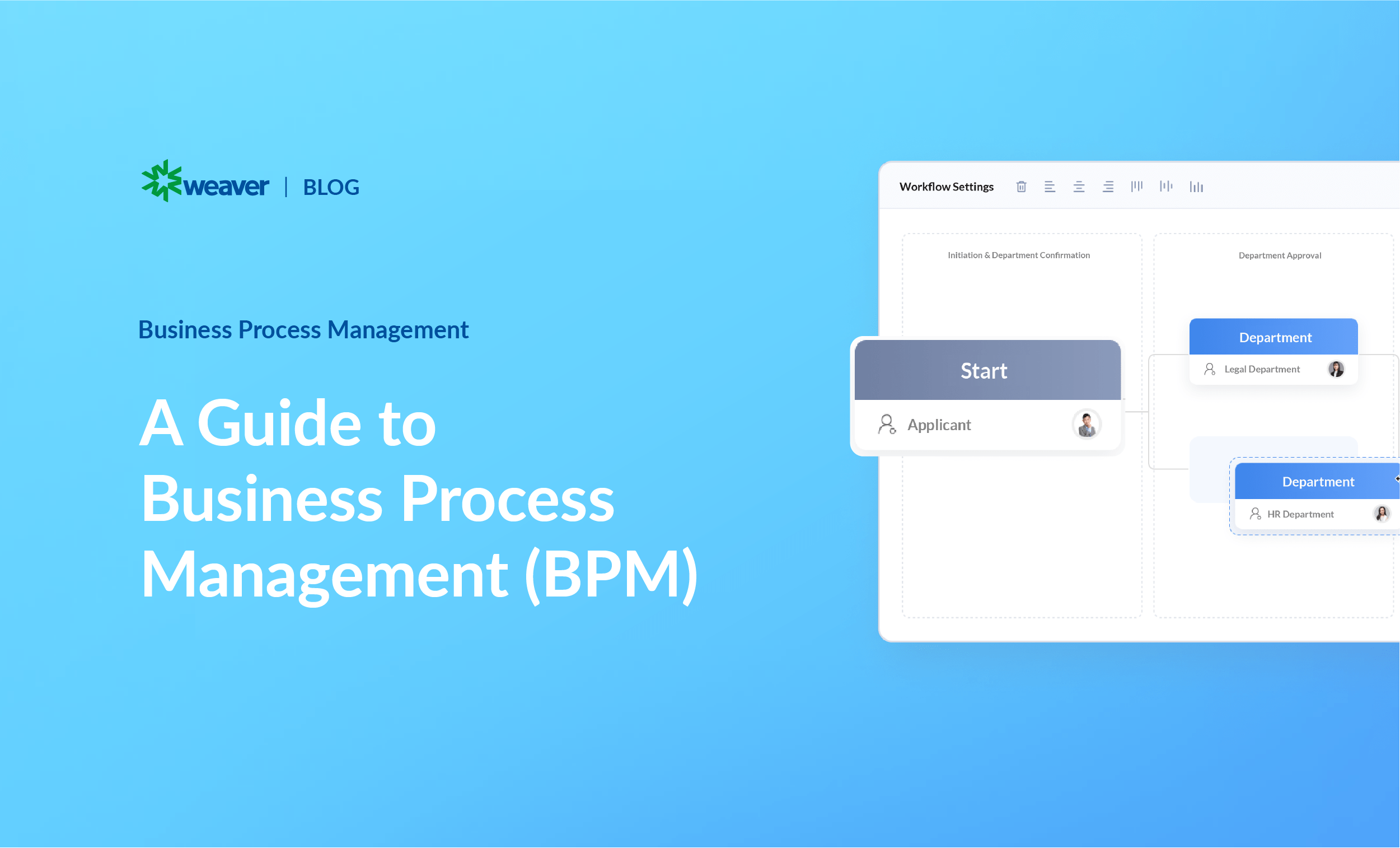
  • Workflow modeling: Visualise your workflows step-by-step. Drag and drop elements to create a visual representation of how tasks are processed. 
  • Process automation: Set up business rules and triggers to automate routine tasks. Automatically send an email reminder when a deadline is approaching or update a database when a form is submitted. 
  • SAP integration: Integrate with other tools and systems to ensure seamless communication and data exchange across the organisation. 
  • Collaboration tools: Stay informed and keep team and stakeholders on track about important events with notifications and alerts. Never miss a beat on an overdue task or a workflow that needs approval. 
  • Analytics and reporting: Gain insight into processes with detailed analysis and reporting. Monitor business processes, identify bottlenecks and make strategic, data-driven decisions. 
  • User permission: Control who can access and modify your workflows with user permissions. Enhance data security and compliance with regulatory requirements.
  • AI-driven BPM: Extends Weaver’s BPM with intelligent automation, creating adaptive approval workflows that reduce resource requirements, minimise errors and increase productivity by freeing teams to focus on strategic initiatives.

Conclusion

More blog posts

Office Automation

Weaver OA Platform: Concepts, Features, Benefits Explained

Weaver OA is an enterprise-level OA platform designed to help organisations achieve digital transformation in their management, collaboration, and workflow processes, offering various modules to improve efficiency and reduce costs.

Office Automation

Implementing an Office Automation (OA) System

In today’s competitive business environment, an Office Automation (OA) system can transform operations by automating routine tasks, improving accuracy and increasing productivity. This blog explores the key benefits of OA, its core components, and how to effectively implement it in your organisation for long-term success.

AI, BPM

From Lotus Notes to Weaver AI Low-Code BPM:How Modern Enterprises Are Leaving Legacy Behind

A practical guide to migrating from IBM Lotus Notes / Domino and unlocking real operational efficiency with Weaver 1 Introduction: The World Has Moved On — Has Your Platform? It was 1989 when Lotus Notes first arrived on the scene. For its time, it was genuinely revolutionary — a platform that combined email, databases, document management, and custom workflow applications in a way no other enterprise tool could match. For two decades, Lotus Notes and its server counterpart IBM Domino became the backbone of corporate collaboration and process management for tens of thousands of organisations worldwide. But that was more than 35 years ago. The enterprise technology landscape has been transformed beyond recognition. Cloud computing, mobile-first workforces, AI-powered automation, real-time integration, and intelligent document processing have redefined what enterprise software needs to deliver. And in this new landscape, Lotus Notes is not just dated — it is a strategic liability. Yet a surprisingly large number of enterprises are still running critical business processes on Lotus Notes and Domino today. Some are aware of the risk and frozen by the complexity of migration. Others have grown so accustomed to Notes-era workflows that they have normalised the inefficiency. And many simply do not know what a modern alternative truly looks like. This blog is written for those organisations. We will examine precisely why Lotus Notes is holding businesses back, what a modern AI-powered low-code BPM platform like Weaver delivers, and how enterprises across Asia-Pacific and beyond are making the transition — and experiencing dramatic improvements in operational efficiency as a result. Industry Reality: 92% of enterprises report they are trying to escape legacy systems, but traditional modernisation approaches take years and fail 75% of the time. The right platform choice makes the difference between a failed migration and a transformative one. 2 Why Lotus Notes Is Holding Your Enterprise Back Let us be precise: the problem is not that Lotus Notes was bad software. In its era, it was excellent. The problem is that the enterprise world has fundamentally changed, and Notes has not changed with it. Here are the seven most critical ways that Lotus Notes is actively limiting organisational performance today. 2.1 An Architecture Built for a Pre-Mobile, Pre-Cloud World Lotus Notes was designed when the PC was the only computing device that mattered and the internet was in its infancy. Its client-server architecture, proprietary NSF database format, and desktop-first interface have no meaningful path to the mobile-first, cloud-native world that today’s workforces require. Employees working remotely, travelling, or on the factory floor cannot access Notes-based workflows effectively — creating approval bottlenecks, process delays, and workarounds that quietly erode operational efficiency every single day. 2.2 Developer Dependency Kills Agility Every change to a Lotus Notes application — a new form field, a modified approval route, a new business rule — requires a LotusScript or Java developer. In a world where business conditions change rapidly and organisations need to adapt their processes in days rather than months, this developer dependency is a critical bottleneck. The talent pool of skilled Lotus Notes developers is also shrinking rapidly, making maintenance increasingly expensive and recruitment increasingly difficult. 2.3 Zero Native AI Capability Artificial intelligence is no longer a competitive differentiator — it is a baseline expectation for enterprise software. AI-powered document extraction, intelligent approval routing, automated anomaly detection, predictive analytics, and AI agents that handle routine decisions are now standard in modern platforms. Lotus Notes has no native AI capability whatsoever. Integrating AI into a Notes environment requires complex, expensive, and fragile third-party solutions that rarely deliver the seamless, embedded intelligence that modern operations demand. 2.4 Security Vulnerabilities and Compliance Risk Running an enterprise on aging, proprietary software creates serious security and compliance exposure. Lotus Notes’ security model was designed for a threat landscape that no longer exists. Unpatched vulnerabilities, limited encryption standards, inadequate audit trails, and lack of alignment with modern compliance frameworks (GDPR, ISO 27001, SOC 2, regional data sovereignty requirements) make a Notes-based environment increasingly difficult to defend in front of auditors, regulators, and the board. For enterprises in regulated industries — financial services, healthcare, government — this exposure is not theoretical; it is an active risk. 2.5 Integration Fragility at Scale Modern enterprise operations depend on seamless integration between BPM, ERP, CRM, HRMS, finance, and data systems. Lotus Notes integrations were built in an era before API-first design, REST standards, and enterprise integration platforms. The result is a web of fragile, point-to-point integrations that are expensive to maintain, brittle in the face of system upgrades, and fundamentally incompatible with the real-time, bidirectional data flows that modern operations require. 2.6 Rising Total Cost of Ownership The total cost of maintaining a Lotus Notes environment is rising, not falling. Dedicated Domino administrators, scarce LotusScript developers, legacy infrastructure maintenance, and the opportunity cost of foregone automation all contribute to a TCO that often exceeds — sometimes dramatically — what a modern platform would cost. Many organisations discover, when they finally conduct a full cost analysis, that their Notes environment is one of the most expensive items on their technology budget. 2.7 Talent and Ecosystem Decline The Lotus Notes partner and developer ecosystem is in structural decline. Finding skilled Domino administrators and LotusScript developers is increasingly difficult and expensive. Training new staff on a platform with no meaningful future is a poor investment. And as HCL’s roadmap for Domino becomes less clear, organisations remaining on Notes are effectively betting on an increasingly uncertain future. 3 Lotus Notes vs. Weaver AI Low-Code BPM: A Direct Comparison The table below illustrates the gap between what Lotus Notes delivers today and what Weaver’s modern AI-powered low-code BPM platform provides across every dimension that matters to enterprise operations CapabilityIBM Lotus Notes / DominoWeaver AI Low-Code BPMPlatform AgeReleased 1989; HCL-owned since 2019; architecture unchanged for decadesFounded 2001; continuously evolved; AI-native platform since 2023User InterfaceDesktop-first, dated UI; poor web/mobile experience; steep learning curveModern responsive UI; PC, tablet, mobile, WeChat — all natively supportedWorkflow AutomationBasic workflow via LotusScript; requires developer coding for any customisationVisual BPMN workflow engine; drag-and-drop configuration; no-code for most scenariosAI IntegrationNo native AI; requires third-party plugins; AI adoption virtually impossibleNative Weaver AI: AI agents, intelligent document processing, AI-powered approvalsLow-Code DevelopmentHeavy reliance on LotusScript and Java; developer-dependent for all changes8-engine low-code platform; business users build forms, workflows, portals independentlyMobile AccessLimited, bolt-on mobile client; not designed for mobile-first workforceFull enterprise functionality on mobile, tablet, and WeChat nativelyIntegration with ERP/CRMComplex, fragile integrations; proprietary APIs; high maintenance costNative Integration Engine with connectors for SAP, ERP, CRM, HRMS, databasesDocument ManagementBasic document storage; no AI extraction; limited search capabilityAI-powered DMS: intelligent search, auto-classification, version control, audit trailSecurity & ComplianceAging security model; unpatched vulnerabilities; compliance risk in regulated sectorsEnterprise-grade security; role-based access; audit logs; regulatory compliance built-inCloud / DeploymentPrimarily on-premise; cloud migration complex and expensiveSaaS, private cloud, on-premise, hybrid — flexible deployment to match policySupport & RoadmapHCL Domino 14; limited innovation; shrinking talent pool and partner ecosystemActive R&D; AI roadmap; 200+ partner network; dedicated APAC support teamsTotal Cost of OwnershipHigh: licensing + dedicated Domino admins + LotusScript developers + legacy infrastructureLower TCO: low-code reduces dev dependency; single platform replaces multiple tools 4 What Weaver AI Low-Code BPM Delivers: The Modern Enterprise Operating Platform Weaver International is a Shanghai Stock Exchange-listed enterprise software leader with 24 years of experience powering digital transformation for over 85,000 organisations across 87 industries. Its AI-powered low-code BPM platform is purpose-built to replace legacy systems like Lotus Notes — not with a partial solution, but with a comprehensive, intelligent, unified platform that covers every dimension of enterprise operations. 4.1 A Truly Modern, AI-Native Low-Code Platform At the heart of Weaver is a powerful eight-engine low-code architecture: Form Engine, Workflow Engine, Portal Engine, Page Engine, Data Engine, Action Flow Engine, Report Engine, and Integration Engine. Together, these engines enable business teams to design, build, and deploy enterprise-grade applications and workflows visually — without writing code for the vast majority of use cases. What used to require a LotusScript developer and weeks of development time can now be configured by a business analyst in hours. This fundamental shift from developer-dependent to business-empowered application building is the most immediate and impactful operational efficiency gain that Notes-to-Weaver migrations deliver. Drag-and-drop form builder with validation rules, conditional logic, and data binding Visual BPMN workflow designer for approvals, business flows, and data flows Low-code portal and page builder for personalised user workspaces No-code report and analytics engine for real-time dashboards and KPI tracking 4.2 Enterprise AI Embedded Across Every Business Function Weaver AI is not a chatbot bolted onto a BPM platform. It is a natively integrated intelligence layer that extends across every business domain: HR, finance, procurement, contract management, document management, customer relationship management, and more. Weaver’s AI Agent Designer allows organisations to build governed, low-code AI agents that understand natural language intent, connect to enterprise data, and execute end-to-end workflows autonomously. For enterprises migrating from Notes — where AI is entirely absent — this capability represents a generational leap in operational capability. AI-powered intelligent document processing: extract, classify, and route documents automatically AI approval routing: intelligent recommendation of the right approver based on context AI Agent Designer: build custom AI agents visually without data science expertise AI analytics: surface patterns, anomalies, and insights from process and business data 4.3 Unified BPM, OA, and DMS — One Platform, No Silos One of the most persistent pain points in Notes migrations is the proliferation of replacement tools — one system for workflow, another for document management, a third for collaboration, a fourth for reporting. Weaver eliminates this fragmentation entirely. Its e-cology platform delivers unified Business Process Management, Office Automation, and Document Management in a single, fully integrated environment. Every approval workflow, every document, every business process, and every collaboration touchpoint exists within one coherent system — with a single login, a single search interface, and a single audit trail. BPM with full BPMN process modelling, simulation, and optimisation Enterprise OA: announcements, tasks, meetings, calendars, knowledge base AI-powered DMS: intelligent filing, full-text search, version control, retention policies Built-in RPA for automating repetitive data tasks across legacy and modern systems 4.4 True Multi-Platform Mobility: Work from Anywhere The Lotus Notes desktop client is not just outdated — it is a productivity barrier. Weaver’s platform is fully accessible and functionally complete on PC, tablet, mobile phone, and WeChat. This is not a simplified mobile view; it is the full enterprise platform optimised for every screen. For APAC enterprises where WeChat is deeply embedded in professional communication, Weaver’s native WeChat integration means employees can review, approve, and collaborate on business processes without leaving the application they already use all day. Approval bottlenecks caused by unavailable approvers become a relic of the Notes era. 4.5 Deep Integration with Your Enterprise Ecosystem Weaver’s dedicated Integration Engine provides native, bidirectional connectors to SAP, ERP, CRM, HRMS, financial systems, and databases. Unlike Notes integrations that were often handcrafted and fragile, Weaver’s integration framework is designed for enterprise-scale, real-time data exchange using modern API and ESB standards. This means that when a procurement workflow is completed in Weaver, the purchase order is automatically posted to SAP. When an employee is onboarded in the HR module, the workflow triggers account provisioning across connected systems. The operational efficiency of connected, automated processes replaces the manual rekeying and error-prone handoffs that characterise Notes-era workflows. 5 The Weaver Migration Approach: How to Move from Notes Without the Pain The most common reason organisations delay their Notes migration is fear: fear of disruption, fear of data loss, fear of user resistance, and fear of a project that takes years and never quite delivers. Weaver’s migration methodology, refined across thousands of enterprise deployments, is designed to address every one of these concerns. Step 1: Process Audit and Inventory Before migration begins, Weaver’s implementation team conducts a comprehensive audit of existing Notes applications, databases, workflows, and data volumes. This inventory forms the foundation of the migration plan — identifying quick wins, high-value migrations, and legacy applications that can be retired rather than rebuilt. Step 2: Phased Migration with Zero-Disruption Approach Weaver does not require a “big bang” cutover that disrupts operations overnight. The migration is executed in phased waves — beginning with the highest-value, most painful Notes applications and progressively migrating the full portfolio. During the transition, Notes and Weaver can run in parallel, ensuring business continuity throughout the migration process. Step 3: Low-Code Rebuilding, Not Costly Custom Development Weaver’s eight-engine low-code platform means that most Notes applications can be rebuilt as modern Weaver equivalents in a fraction of the time and cost of traditional migration approaches. Forms, workflows, approval processes, and document management structures that once required weeks of LotusScript development are recreated visually in days using Weaver’s drag-and-drop builders. Step 4: Data Migration and Historical Record Preservation Weaver’s implementation team manages the extraction, transformation, and loading of historical Notes data into Weaver’s unified data environment — ensuring that institutional knowledge, archived documents, and historical process records are preserved and accessible in the new system. Step 5: Change Management and User Adoption Weaver’s intuitive, modern interface significantly reduces the change management burden compared to other platform migrations. Employees who have tolerated Notes’ dated UX for years typically embrace Weaver’s mobile-first, AI-assisted interface enthusiastically. Weaver’s implementation partners provide structured training programmes and adoption support to ensure rapid time-to-productivity. 6 The Operational Efficiency Impact: What Enterprises Experience After Migration The benefits of migrating from Lotus Notes to Weaver are not theoretical. Across Weaver’s 85,000+ customer base — spanning manufacturing, financial services, real estate, logistics, healthcare, and the public sector — organisations consistently report transformative improvements in operational efficiency after deployment. 6.1 Approval Cycle Time Reduction Multi-step approval workflows that took days on Notes — routed through email, chased manually, and delayed by absent approvers — are completed in hours on Weaver, with mobile approvals ensuring no bottleneck regardless of where decision-makers are. 6.2 Process Digitalisation Rate Organisations migrating from Notes typically find that only a fraction of their business processes were digitised on Notes. Weaver’s low-code platform enables rapid process digitalisation across departments — HR, finance, legal, procurement, operations — that were entirely paper-based or email-based before. 6.3 IT Maintenance Burden The elimination of dedicated Domino administrators, LotusScript developers, and legacy Notes infrastructure typically reduces IT workload by 30-50% — freeing technology teams to focus on innovation rather than maintenance. 6.4 AI-Powered Automation Gains Weaver’s AI capabilities deliver automation gains that Notes users could never have imagined: documents automatically classified and routed on arrival, approvals intelligently pre-assessed for compliance, analytics dashboards surfacing operational insights in real time, and AI agents handling routine decisions autonomously. 6.5 Employee Productivity and Satisfaction Modern, intuitive interfaces, mobile access, and AI-assisted workflows dramatically improve the employee experience. The frustration of navigating a Notes client that has not meaningfully changed in decades is replaced by a platform that employees actually want to use — driving higher adoption, better data quality, and stronger process compliance. 7 Conclusion: The Right Time to Move Is Now There has never been a better time — or a more urgent business case — to migrate from Lotus Notes to a modern AI-powered enterprise platform. The gap between what Notes delivers and what Weaver’s AI low-code BPM platform delivers is not a matter of incremental improvement. It is a generational transformation: from a 1989 architecture to a 2026 AI-native platform; from developer-dependent customisation to business-empowered low-code configuration; from desktop-only access to true multi-platform mobility; from zero AI to native intelligence embedded across every business function. Weaver brings 24 years of enterprise software expertise, 85,000+ proven deployments across 87 industries, and a dedicated APAC team in Singapore, Malaysia, and Indonesia to every migration engagement. The result is not just a technology replacement — it is a step-change in how your organisation operates, collaborates, and competes. The question is no longer whether to replace Lotus Notes. The question is how quickly your organisation can make the move — and how much operational efficiency and competitive advantage you are leaving on the table every month you wait.

View All Blogs

Experience the new intelligent way of working with Weaver

Get your tailored demo solutions today.